
AI Avatar Maker Privacy Guide: Safe Uploads & Data Protection
Creating a unique AI avatar has never been more exciting, but privacy concerns often hold people back. Are you hesitant to upload your personal photos to an online AI avatar maker? If so, you're not alone. Many people worry about what happens to their data once it's uploaded to the cloud.
This comprehensive guide is here to address your security concerns head-on. We'll provide clear, actionable insights into how AI avatar generators handle your photos and how you can create stunning digital identities with complete peace of mind. With the right knowledge, you can confidently use a secure and fun tool like the AI avatar maker on our site.
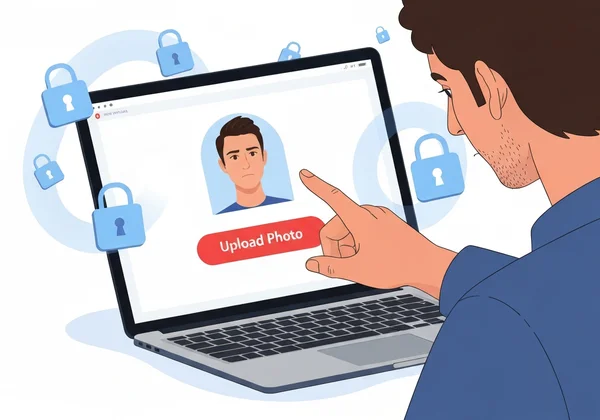
Understanding AI Avatar Maker Privacy Concerns
Before you dive into the world of AI art, it’s wise to understand the common worries associated with it. When you know the potential risks, you can better identify safe platforms and protect your personal information. Let's explore the key issues that users often think about when considering an AI avatar privacy policy.
What Happens to Your Photos After Upload?
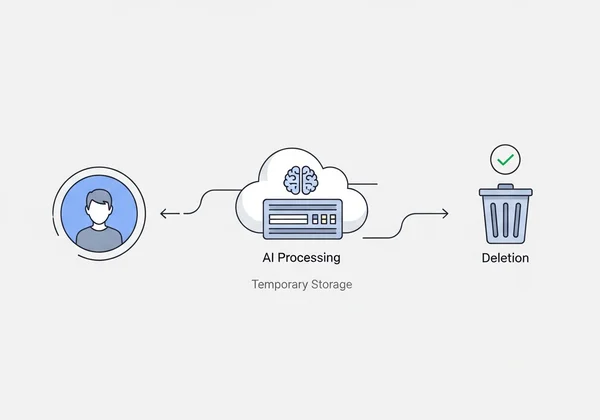
Uploading a photo to an AI avatar generator involves several steps. Your image is first sent to a server where an AI model analyzes facial features. It doesn't "see" you as a person; it sees data points like the shape of your eyes, the curve of your smile, and the structure of your face.
The AI then uses this data to create a brand-new image in the style you selected, such as 3D cute, anime, or pixel art. The original photo is used as a reference for this creative process. What happens to that photo afterward depends entirely on the platform's privacy policy. Trustworthy services will delete your original photo shortly after the avatar is generated.
Common Privacy Misconceptions About AI Maker Tools
There's a lot of misinformation about AI tools, which can cause unnecessary fear. Let's clear up a few common misconceptions:
- Misconception 1: "They steal my identity." Legitimate AI avatar makers are not designed to steal identities. Their goal is to create art. They use your photo as a creative prompt, not to impersonate you.
- Misconception 2: "My photo will be sold to advertisers." Reputable companies make their money from offering a service, not by selling your personal data. A clear privacy policy will state exactly how your data is used, and selling it is a major red flag.
- Misconception 3: "All AI tools are the same." This is far from the truth. The level of security and privacy varies greatly between different platforms. That’s why it's crucial to choose a service that prioritizes user safety.
Legal Frameworks: GDPR and CCPA Protections
Your data is protected by powerful legal frameworks. Two of the most important are the General Data Protection Regulation (GDPR) in Europe and the California Consumer Privacy Act (CCPA) in the United States.
These laws give you rights over your personal data and require companies to be transparent about their data collection, usage, and storage practices. Key protections include:
- The Right to Access: You can ask a company what data they have about you.
- The Right to Deletion: You can request that a company delete your personal data.
- Consent: Companies must get your clear consent before processing your data.
A privacy-focused AI avatar generator will comply with these regulations, giving you control over your digital footprint.
Choosing a Safe AI Avatar Generator
Now that you understand the landscape, how do you find a safe AI avatar generator? The key is to look for specific signs of trustworthiness and security. A few minutes of research can save you a lot of worry later on.
Privacy Red Flags to Watch For
When evaluating an online tool, keep an eye out for these warning signs. If you see any of them, it's best to look for a different service.
- No Privacy Policy: If a website doesn't have a clear, easy-to-find privacy policy, avoid it. This is a massive red flag.
- Vague Language: A policy that says "we may share your data with partners" without specifying who or why is not transparent.
- Forced Registration: Be cautious of services that require you to create an account with excessive personal information just to try the tool.
- Permanent Photo Storage: The service should state that your uploaded photos are deleted after a short period. If they plan to keep them indefinitely, that's a risk.
- No Contact Information: A legitimate business will provide a way for you to contact them with questions or data deletion requests.
Encryption and Data Security Best Practices
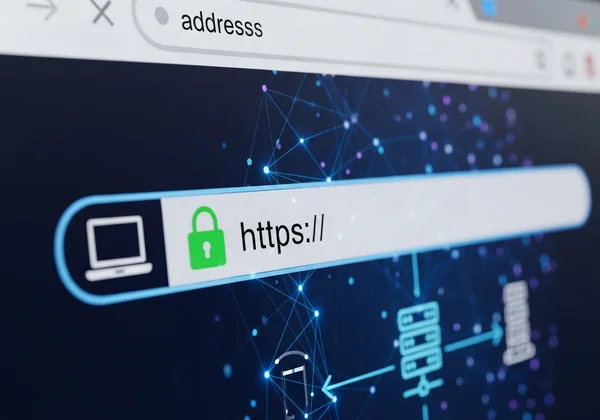
Technical security measures are just as important as a good privacy policy. When your photo is sent from your computer to the server, it should be protected by encryption.
Look for platforms that use Transport Layer Security (TLS), the modern standard for what used to be called SSL. You can easily check for this—just look for a padlock icon and "https" in your browser's address bar. This ensures your data is scrambled and unreadable to anyone who might try to intercept it during transit. On the server side, a secure service will also protect stored files, even if they are only kept temporarily.
How AiAvatarMaker.net Protects Your Photos
At AiAvatarMaker.net, we designed our platform with your privacy as a top priority. We believe that creativity should never come at the cost of security. Here’s how our ai avatar maker protects your photos and data:
- No Registration Needed: You can start creating immediately without signing up or providing personal details.
- Secure Uploads: We use TLS encryption to protect your photos from the moment you upload them.
- Temporary Storage Only: Your original photos are used solely to generate your AI avatar. They are automatically deleted from our servers shortly after the process is complete to protect your privacy.
- Clear Policies: Our privacy policy is written in simple language, so you know exactly how we handle your data—we don't sell it or use it for anything other than creating your avatar.
Our goal is to provide a fun, fast, and completely safe environment for you to express yourself.
Maximizing Photo Data Protection
While choosing a secure platform is the most important step, there are also things you can do to maximize your own photo data protection. These simple habits give you an extra layer of control and peace of mind.
Preparing Your Photos for Secure Uploads
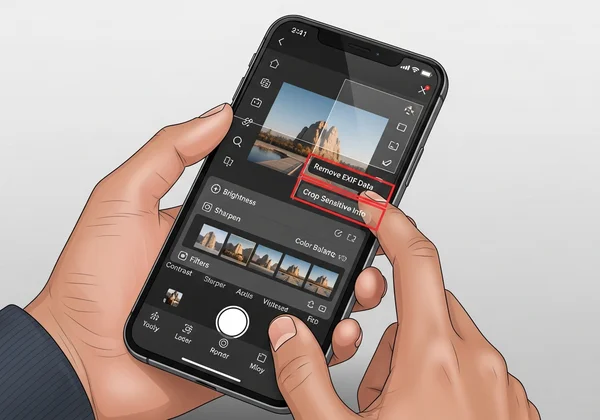
Before you upload any photo, take a moment to prepare it. A good practice is to remove any sensitive metadata. Photos taken on smartphones often contain EXIF data, which can include the time, date, and even GPS location where the picture was taken.
You can use a simple online EXIF data remover or a built-in function on your computer to strip this information before uploading. Additionally, choose a photo that is a clear close-up of your face, without any identifying background details like your house number or office logo. This ensures the ai avatar maker focuses only on what it needs.
Temporary vs. Permanent Photo Storage Solutions
Understanding the difference between storage types is key. A privacy-first service like AiAvatarMaker.net uses temporary storage. This means your photo exists on the server only for the few moments needed to run the AI model. Afterward, it's gone for good.
In contrast, some social media or cloud storage platforms use permanent storage. When you upload a photo to those services, it stays there until you manually delete it. For creating AI avatars, temporary storage is the far safer and more appropriate solution. You get the creative result without leaving a permanent data trail.
Managing Your Digital Footprint After Creation
Once you've downloaded your amazing new AI avatar, your job is almost done. If the service required you to create an account (which ours doesn't), a good final step is to log back in and delete your original photos if they are still there. If you have the option, you can also delete your account entirely.
By consciously managing your digital footprint, you ensure that your personal data isn't sitting on servers you no longer use. It’s a simple but effective way to maintain control over your privacy online. With a no-registration tool, this becomes even easier—there's no account to manage or delete.
Ready to Create Your Secure AI Avatar?
Ready to take control of your privacy while exploring creativity? With these insights in hand, you can now confidently choose secure AI avatar tools and create with peace of mind. You have the knowledge to distinguish between risky platforms and trustworthy ones. Remember to look for clear privacy policies, secure encryption, and a commitment to temporary data storage.
By choosing a service that respects your privacy, you can focus on the fun part: creating a unique and stunning avatar that represents you. Visit AiAvatarMaker.net today and experience a simple, fast, and fun process with total peace of mind.
The Takeaway
Are AI avatar generators safe to use with personal photos?
Yes, they can be very safe if you choose the right platform. A safe AI avatar generator will use encryption, have a transparent privacy policy, and delete your uploaded photos after the avatar is created. Always check for these features before using a service.
How long do AI avatar platforms store my uploaded images?
This varies greatly. The most secure platforms, like AiAvatarMaker.net, only store your photo temporarily while the AI is generating your avatar. Afterward, it is automatically deleted. Less secure platforms might store your photos for longer periods, so it's vital to read their privacy policy.
Can I request deletion of my photos from AI avatar services?
Absolutely. Under laws like GDPR and CCPA, you have the right to request the deletion of your personal data, including photos. A reputable service will honor this request. With a privacy-first tool, you can simply try our free tool knowing the photo will be deleted automatically, so no request is needed.
What encryption methods should I look for in a secure avatar maker?
Look for a website that uses TLS (Transport Layer Security) encryption. You can verify this by checking for "https" at the beginning of the website's URL and a padlock icon in the address bar. This ensures your data is protected as it travels from your device to the server.