
AI Avatar Pack for Every Platform
A single profile image rarely fits every corner of online life. The face that looks right on a work profile can feel stiff in a hobby community. A playful illustrated version can also feel too casual for a client-facing space.
That is why an avatar pack works better than one “perfect” image. A small set of coordinated versions made in the same multi-style avatar generator lets someone stay recognizable while adjusting tone, crop, and detail for each platform.
An effective pack is not about pretending to be a different person in every space. It is about keeping the same visual identity while matching the expectations of professional profiles, creator pages, and casual communities.
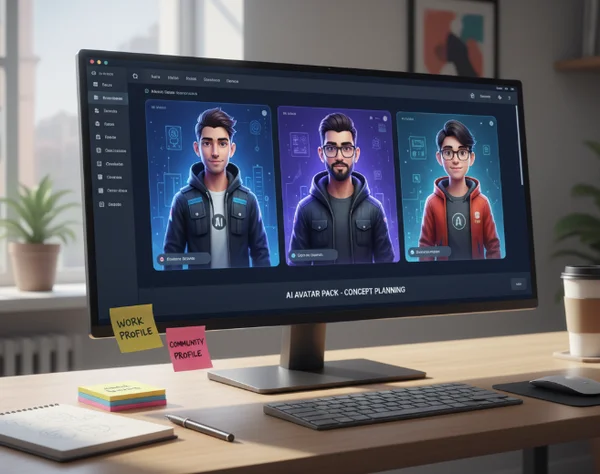
Why One Avatar Is Not Enough for Modern Profiles
People now show up in more contexts than before. One person may appear on a work network, in a team workspace, on a creator profile, and inside several community groups in the same week.
Each of those spaces rewards a slightly different image. Work profiles usually favor clean framing and quick recognition. Community spaces give more room for style, color, and character. A one-size-fits-all image often lands in the middle and does not do either job well.
An avatar pack solves that mismatch. Instead of replacing identity, it organizes identity. One base face, hairstyle, color palette, or silhouette becomes the thread that holds several versions together.
What an AI Avatar Pack Actually Includes
An avatar pack is a small group of related profile images made from one source photo or one visual direction. Most people only need three to five versions. Use one for professional spaces, one for general social use, and one more expressive version for communities or creative profiles.
That structure fits a site centered on style exploration. A homepage experience becomes more useful when the goal is not choosing one image forever. It works better when the goal is building a set that stays recognizable.
One base identity, three platform-ready variations
The base identity should stay stable across the whole pack. That usually means the same face shape, hair outline, eye spacing, main color accents, and crop depth. If all of those shift at once, the images stop feeling connected.
Research on familiar faces helps explain why this works. An NCBI review on stable face recognition notes that familiar face recognition stays highly accurate across many image manipulations. The same review explains that unfamiliar face matching can break down after superficial image changes. A pack feels coherent when each version preserves enough of the familiar signals to read as the same person.
That does not mean every image has to look conservative. One version can be polished, another can be soft and casual, and a third can lean into a fantasy or gaming mood. The key is keeping the visual identity stable even when the style shifts.
Which visual traits should stay consistent across every version
Consistency does not mean copying the same image three times. It means choosing two or three anchors that survive every variation. Good anchors include the eye area, face outline, dominant background color, or one styling cue such as glasses, curls, or a jacket shape.
A second NCBI face-feature review summarizes older work on familiar faces. Adults recognized 50% of target faces from internal features alone, compared with 30% from external features alone. In practical terms, that makes the eye area, nose, mouth spacing, and overall facial balance more important than decorative extras.
The avatar style workspace is most useful when these anchors are set before generation starts. That makes it easier to review outputs and keep the strongest ones instead of chasing random style changes that look exciting but do not feel like the same person.

How to Match Avatar Style to Platform Context
The best pack is built around contexts, not trends. Before generating anything, list the spaces where the image will appear and decide what each space needs from you.
That shift in thinking keeps the pack practical. It also helps prevent a common mistake. Many people make a striking avatar that looks great at full size but weakens trust, clarity, or recognition once it is used in a small circle or square.
Professional spaces need clarity and clean framing
Professional profiles benefit from a calm crop, readable lighting, and a face-forward composition. Strong effects can still work, but they should support recognition rather than dominate it.
Visual clarity matters because profile images are often seen at a tiny size. Section 508 guidance on color usage says images and graphics that convey information should aim for a contrast ratio of at least 3:1 whenever possible. That is a useful rule for avatars too. If the face and background do not separate clearly, the image loses impact fast.
This is also where restraint matters. If a profile may appear beside job applications, repository comments, workspace messages, or client notes, keep the avatar polished and human-looking. A stylized result can still work well, but it should not look like an official ID, a security credential, or a guaranteed professional headshot.
Community spaces allow more style without losing recognition
Community profiles can hold more personality. Fantasy color grading, illustrated textures, bold background shapes, or genre-inspired clothing can all work when the goal is self-expression instead of formal presentation.
The important part is not losing the recognition anchors from the core pack. If the community version changes the face shape, crop, color palette, and expression all at once, it starts to look unrelated. If it keeps the same silhouette and key facial cues, it feels like a creative extension of the same identity.
That balance is what makes a pack more useful than one generic social avatar. It lets someone appear flexible without feeling inconsistent.
A Simple Workflow to Generate a Cohesive Avatar Set
A repeatable workflow keeps the process light. It also helps prevent over-editing, which often produces a folder full of impressive images that do not work together.
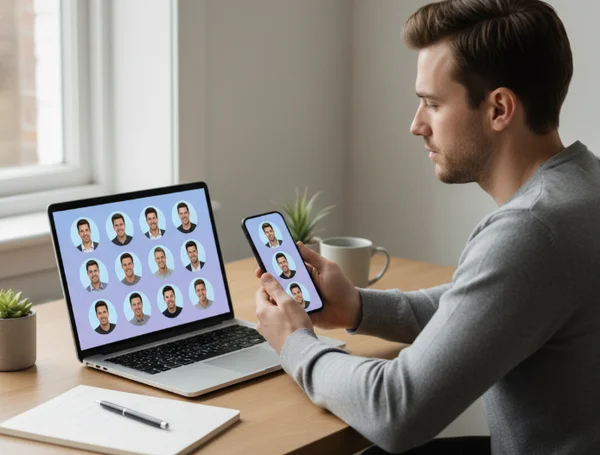
Start with one photo that preserves recognizability
Choose one base photo with even lighting, a visible face shape, and a clear expression. Extreme angles, heavy shadows, and cluttered backgrounds make it harder to keep a stable identity across multiple styles.
From there, decide on three destinations, not three aesthetics. For example: work profile, creator profile, and community profile. Generate around those destinations inside a digital identity avatar maker so each version serves a job instead of existing as a random experiment.
It also helps to write down fixed traits before generating: crop range, dominant colors, facial expression, and one styling cue that should remain in every version. That short checklist reduces drift.
Review each version on desktop and mobile before using it
A good avatar at full size can fail when it shrinks. Review each version as a tiny circle or square, because that is how most people will actually see it.
Check four things. Is the face still readable? Does the background compete with the subject? Does the main color contrast survive? Does the image still feel like the same person as the rest of the pack?
Small-screen review is also where details earn their place. If a hairstyle, glasses shape, or background color still reads clearly on both desktop and mobile, it belongs in the pack. If it disappears at a glance, it should not carry the identity by itself.
Next Steps for a Flexible Digital Identity
The strongest online identity is rarely a single image used everywhere. It is a small system of related visuals that match different spaces without losing the person behind them.
An avatar pack makes that system easier to build. One version can look clean enough for work, another can support public creator pages, and a third can carry more style for community use, while all three still feel connected.
When that is the goal, the real value comes from reviewing several directions side by side. Keep the recognizable elements. Shape a flexible visual identity with less trial and error.