
How to Make Free 3D Pixel AI Avatars with an AI Avatar Maker
Embark on a retro-futuristic journey! In the world of gaming, your profile picture is your digital handshake, your calling card, and your personal flag. Are you looking for a way to stand out from the crowd? This guide will show you how to easily create eye-catching 3D pixel AI avatars, perfect for making your mark on Twitch, Discord, and all your favorite gaming platforms.
Forget complicated software or hiring an artist. We'll explore how to craft a unique digital identity that screams "gamer" with a cool, nostalgic vibe. Our AI avatar maker offers a simple, fast, and completely free way to transform your photos into amazing pixelated characters. It's time to create your digital identity and level up your online presence.
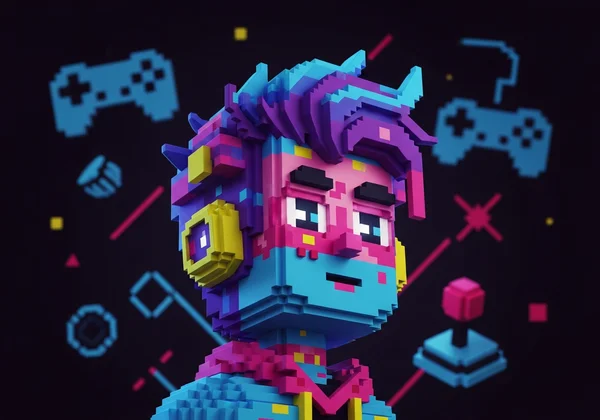
Why 3D Pixel AI Avatars Elevate Your Gaming Persona
A great avatar does more than just represent you; it builds your brand. In a sea of generic profile pictures, a 3D pixel avatar is a powerful tool. It’s a nod to the golden age of gaming while looking sharp and modern. This unique style helps you connect with your audience and build a memorable persona that viewers and fellow gamers will instantly recognize.
The Enduring Charm of Retro & Pixel Art in Gaming
Pixel art is the visual language of gaming's history. It reminds us of classic 8-bit and 16-bit adventures that defined genres and captured our imaginations. Pixel art shines in blocky Minecraft worlds and charming Stardew Valley farms. It's a timeless aesthetic. It’s not just about nostalgia; it’s a deliberate artistic choice that communicates a love for the craft and culture of gaming.
A 3D pixel AI avatar taps into this shared history. It tells people you appreciate the roots of gaming while embracing modern technology. The "3D" element adds a fresh, dynamic layer, making your avatar pop with depth and character. It’s the perfect blend of old-school cool and new-school tech.
Stand Out: Crafting a Unique Digital Identity for Streams & Communities
Your digital identity is crucial, especially if you're a streamer, content creator, or active community member. Consistency is key. When your followers see the same unique avatar on Twitch, Discord, YouTube, and Twitter, they know it's you. This builds brand recognition and makes your content instantly identifiable.
Think of a custom 3D pixel avatar as your personal logo. It's more engaging than a photo. And more personal than generic graphics. It shows you’ve put thought into your online presence, which helps build trust and a stronger connection with your community. Whether you’re in a crowded Discord server or a fast-moving Twitch chat, your pixel persona will ensure you never get lost in the noise.
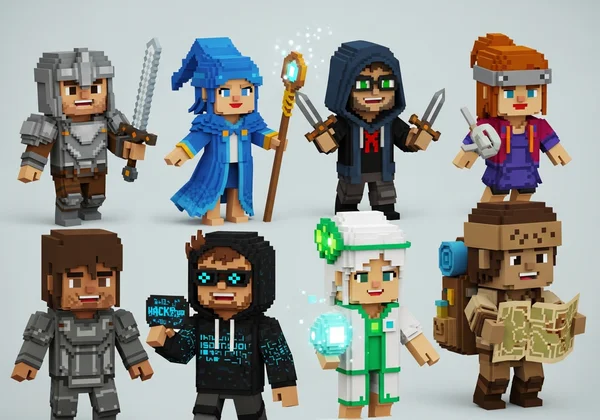
Your Free AI Avatar Maker: How to Create 3D Pixel Avatars
Ready to build your own pixelated hero? The process is surprisingly simple and takes less than a minute. Our powerful free AI avatar maker handles all the heavy lifting. You don’t need any design skills or expensive programs. Just follow these three easy steps to generate your perfect gaming avatar.
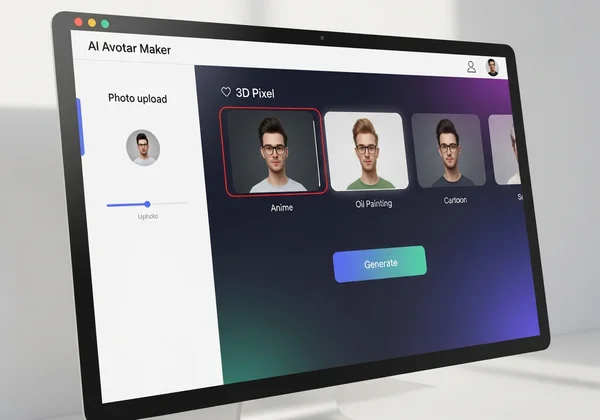
Step 1: Uploading Your Best Photo for AI Magic
The first step is giving our AI a canvas to work with. Head over to the AiAvatarMaker.net homepage to get started. You’ll see a simple interface where you can upload your photo. You can either drag and drop a file directly onto the page or click the button to browse your computer or phone.
For the best results, choose a clear photo of yourself. A simple headshot where you are looking at the camera works perfectly. Once uploaded, the AI gets to work. It analyzes your facial features. The result? An avatar that looks like you—in a fresh artistic style.
Step 2: Selecting the "3D Pixel" Style from Our Diverse Collection
This is where the real fun begins. On the side panel, you’ll find a wide variety of art styles. Scroll through the options until you find the "3D Pixel" style. This is the one that will transform your photo into that awesome, retro-gaming look we’ve been talking about.
Click on the style to select it. While you’re there, feel free to explore other styles like "Ghibli," "Cartoon," or "3D Cute." Our platform is a creative playground, and you might discover other looks you love for different social profiles. But for now, let's stick with our goal and lock in that pixelated aesthetic.
Step 3: Generating & Downloading Your High-Quality Pixel Avatar
With your photo uploaded and the "3D Pixel" style selected, there's only one thing left to do: click the "Generate" button. The AI will process your request in just a few seconds. You'll see your photo transform into a unique, high-quality piece of pixel art right before your eyes.
Once it's ready, you can preview your new avatar. If you love it, simply click the "Download" button. The image will be saved to your device, completely free of watermarks and ready to use. Now you can upload it to all your gaming profiles and start showing off your new digital identity. It's that easy to start creating now.
Pro Tips for Perfecting Your Pixel AI Avatar Every Time
The AI is incredibly smart, but giving it the right input will guarantee amazing results. A little preparation goes a long way. Use these professional tips to ensure your 3D pixel avatar is sharp, recognizable, and perfectly suited for your gaming channels.
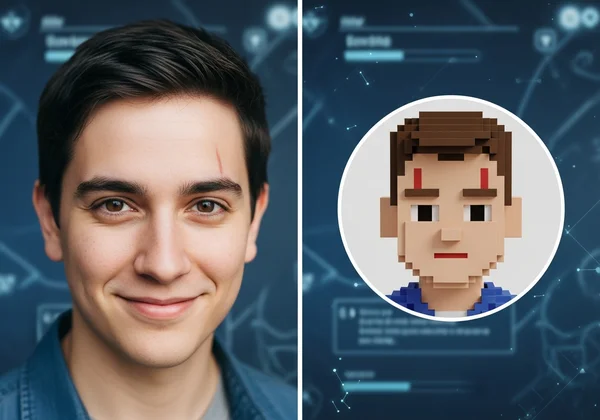
Choosing the Ideal Source Photo for Striking Pixel Art Results
Your source photo quality shapes the final avatar. Give the AI top ingredients for best results. To get a masterpiece every time, follow these simple guidelines for your source image:
- Use Good Lighting: A photo taken in a well-lit space without harsh shadows will produce the clearest results. Natural light is often best.
- Keep a Simple Background: A busy background can confuse the AI. Stand against a plain wall or a simple backdrop so the focus is entirely on your face.
- Look Forward: A photo where you are looking directly at the camera helps the AI capture your facial structure accurately.
- Show Your Whole Face: Avoid photos where your face is obscured by hats, sunglasses, or heavy hair. The AI needs to see your features clearly to work its magic.
Customizing Your Avatar for Seamless Discord & Twitch Integration
Your new avatar is a branding tool, so use it effectively. The square format generated by our AI avatar maker is already optimized for most profile picture slots. On platforms like Discord and Twitch, your avatar often appears as a small circle.
Before uploading, make sure the most important parts of your avatar—your face and key features—are centered. This ensures that nothing gets cropped out when it’s displayed in a smaller format. Using this same avatar across all your platforms creates a cohesive and professional brand. It’s the fastest way to become recognizable to your followers, no matter where they see you.
Unlock Your Retro Gaming Identity Today with Our Free AI Avatar Maker
You now have everything you need to create a standout digital persona. A 3D pixel AI avatar is more than just a picture; it’s a statement. It shows your love for gaming culture, helps you build a memorable brand, and connects you with your community on a deeper level.
With a tool as simple, fast, and free as ours, there are no barriers to upgrading your online presence. You can generate a high-quality, professional-looking avatar in seconds, without any technical skills.
Ready to stop blending in and start standing out? It's time to craft the avatar that truly represents your gaming spirit. Create your avatar for free and see how a simple picture can completely transform your digital identity.
Frequently Asked Questions About 3D Pixel AI Avatars
Can I make a 3D pixel AI avatar of myself for free using your tool?
Yes, absolutely! The core features of AiAvatarMaker.net, including the ability to generate amazing avatars in the 3D Pixel style, are completely free to use. You can upload your photo, generate an avatar, and download it in high quality without any cost.
What kind of photos are best to upload for generating a high-quality pixel AI avatar?
For the best results, use a clear, well-lit headshot. A photo where you are facing the camera with a neutral expression and a simple, uncluttered background will give the AI the best information to create a detailed and accurate pixel version of you.
How long does it typically take to generate a 3D pixel AI avatar with our AI avatar maker?
Our platform is designed for speed. After you upload your photo and select the "3D Pixel" style, the AI typically generates your new avatar in just a few seconds. The entire process, from visiting the site to downloading your image, can be done in under a minute.
Are these pixel AI avatars suitable for platforms like Discord profile pictures or Twitch channel branding?
They are perfect for it. The avatars are generated in a high-quality, square format, which is the standard for profile pictures across almost every platform, including Discord, Twitch, YouTube, Twitter, and more. Their unique style makes them highly visible and recognizable, even as small icons in a chat or friends list.