
AI Avatar Sizes Guide: Perfect Dimensions for All Platforms
Ever uploaded your perfect AI avatar only to have it look pixelated or awkwardly cropped? Why does a high-quality image suddenly look blurry when you set it as your profile picture? You aren’t alone in this frustration. Think about it: even the coolest avatar falls flat if it’s cropped awkwardly or looks blurry. A beautiful image loses its impact if the platform cuts off your face or lowers the resolution.
This comprehensive guide walks you through the optimal avatar sizes for more than 15 major platforms. Whether you are a job seeker on LinkedIn or a streamer on Discord, we have the exact specs you need. By following these standards, you can ensure your digital identity looks sharp and professional everywhere. If you are ready to build a new look, you can make ai avatar images that fit these requirements perfectly using our advanced tools.
Professional & Business Platform Avatar Dimensions
When you use a professional platform, your avatar is often the first thing a recruiter or client sees. It represents your personal brand. If the image is the wrong size, it may appear stretched or unprofessional. Let’s look at the specific standards for the most popular business environments.
Optimizing LinkedIn/Twitter Avatars with AI Avatar Maker
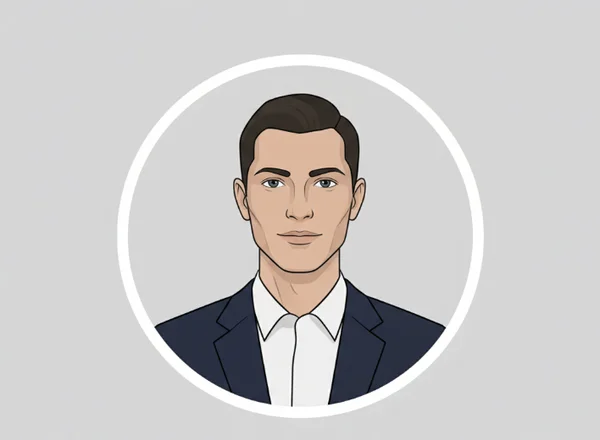
LinkedIn is the world's largest professional network. For your profile picture, the gold standard is 400 x 400 pixels. While LinkedIn can accept larger files, staying near this square ratio prevents unwanted cropping. Remember that LinkedIn displays your avatar as a circle. If your AI-generated face is too close to the edge, the circle might cut off your forehead or chin.
Twitter (now known as X) follows a similar rule. The recommended size is 400 x 400 pixels, with a maximum file size of 2MB. Like LinkedIn, Twitter uses a circular crop. When you use the tool to create your image, choose a centered composition to keep your features visible.
Email signatures are often overlooked but are vital for branding. Email screens come in all sizes. Keep signature avatars between 80 x 80 pixels and 150 x 150 pixels. This prevents slow loading and ensures mobile-friendly displays. Using a massive 1000-pixel image in an email can cause loading delays or make the layout look broken.
Corporate Website and Professional Network Requirements
Corporate "About Us" pages often need specific sizes. Always double-check their requirements first. Most modern websites use a standard 500 x 500 pixel square for team photos. This allows for high-density displays (like Retina screens) to show the image clearly without it feeling too heavy.
For specialized professional networks like Behance or Dribbble, the requirements are often higher to showcase your creativity. On these sites, aim for 800 x 800 pixels. This ensures that fellow designers or potential employers can see the fine details of your AI-generated art. To get started on a high-resolution portrait, you can try our tool today and select the HD output options.
Social Media & Entertainment Platform Avatar Requirements
Social media platforms are where your personality shines. These sites often compress images heavily to save server space. To combat this, you must upload the correct dimensions so the platform's "optimization" doesn't ruin your look.
Instagram, Facebook, and TikTok Avatar Dimensions Guide
Instagram is a visual-first platform. While it displays your profile picture at a small size, you should upload an image that is 320 x 320 pixels. This ensures it stays crisp on both the mobile app and the desktop version. Note that Instagram's circle crop is very aggressive. Ensure your AI avatar has plenty of "white space" or background around the head.
Facebook is slightly different. On desktop, the profile picture displays at 170 x 170 pixels, and on smartphones, it shows at 128 x 128 pixels. We recommend uploading a 1:1 square image of at least 360 x 360 pixels for the best balance of quality and speed.
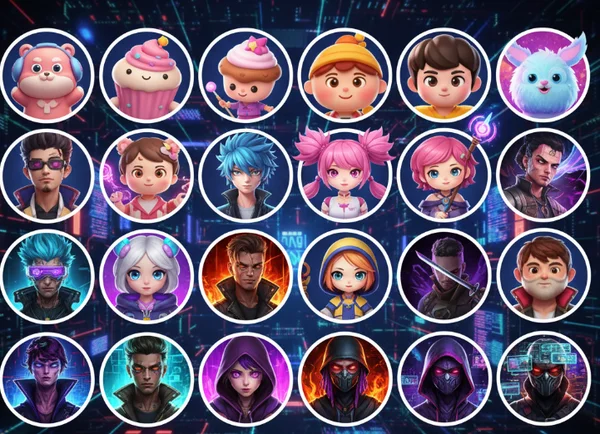
TikTok is built for mobile users. The ideal size is 200 x 200 pixels. Since TikTok is a very dynamic platform, many users prefer vibrant, high-contrast AI styles. You can create your avatar using our "3D Cute" or "Manga" styles to make sure your profile pops in the fast-scrolling feed.
Twitch, Discord, and Gaming Platform Avatar Specifications
For gamers and streamers, your avatar is your logo. On Twitch, the recommended size is 256 x 256 pixels. This is the size used in the channel header and the chat. Since many viewers watch on small mobile screens, your avatar should be clear even when shrunk down to a tiny icon.
Discord has a unique community feel. The standard size for a Discord profile picture is 128 x 128 pixels. However, because Discord allows for "Nitro" users to use animated GIFs, the platform is flexible. Even if you use a static image, make sure it looks good in a small circle.
Steam and other gaming libraries usually prefer 184 x 184 pixels. Gaming avatars often use darker themes or "Cyberpunk" aesthetics. If you want a gaming-specific look, you can start your test on our site and explore different artistic filters designed for the gaming community.
How to Resize AI Avatars for Any Platform
Creating a beautiful image is only half the battle. You also need to know how to adjust it for different uses. Most AI generators provide a specific output, but you might need to tweak it for a specific app's requirements.
Using the Free Online Resizer Tool
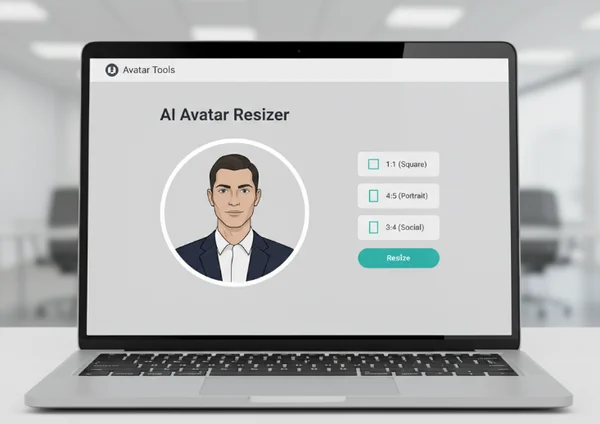
You don’t need to be a Photoshop expert to resize your images. Many users prefer a simple online tool that handles the technical work for them. When you use an AI avatar maker, look for settings that allow you to choose the aspect ratio before you click "Generate."
Our platform provides several options:
- 1:1 Ratio: Perfect for almost all profile pictures (LinkedIn, Instagram, Discord).
- 4:5 Ratio: Great for Instagram portrait posts.
- 3:4 Ratio: Useful for specific blog layouts or professional resumes.
By selecting the right ratio from the start, you avoid the need for external resizing software later. This saves time and ensures that the AI composes the image correctly within the frame.
Best Practices for Maintaining Quality When Resizing
When you resize an image, you risk losing quality. This is called "pixelation." To avoid this, always start with a high-resolution original. It is much easier to shrink a large image than it is to stretch a small one.
Here are three tips to keep your avatar looking sharp:
- Use PNG for Graphics: If your avatar has sharp lines or text, PNG is better than JPG. It does not lose detail during compression.
- Avoid Upscaling: Never take a small 100-pixel image and try to make it 1000 pixels. It will look blurry. Instead, generate ai avatar images at high resolution from the beginning.
- Center the Subject: Since most platforms use circular crops, keep the "action" in the middle 60% of the image.
By following these simple rules, your digital identity will remain professional and recognizable across all your online profiles.
Ready to make your digital identity unforgettable? Start by nailing these avatar sizes.
Getting the technical side of your digital identity right is the key to standing out. We have covered the essential dimensions for business platforms like LinkedIn, social media giants like Instagram, and gaming hubs like Twitch. Each platform has its own rules. Don't worry—the goal is always the same: clarity and impact.
Properly sized avatars ensure that you look professional to employers, relatable to friends, and cool to your gaming community. You no longer have to guess which pixel count to use. Simply refer back to this guide whenever you update your profiles.
Are you ready to see your new look in high definition? Don't settle for a generic photo. Visit our ai avatar maker to create a custom image that fits all these platforms perfectly. It is fast, easy, and fun. Start building your unique digital identity today!
Frequently Asked Questions About AI Avatar Dimensions
What is the ideal avatar size for LinkedIn in 2025?
The ideal size for LinkedIn in 2025 remains 400 x 400 pixels. It is best to upload a square image where your face is centered. Since LinkedIn crops the square into a circle, leaving some space around your head ensures that nothing important is cut off. You can try our tool to create a perfectly centered professional headshot.
How do I make sure my AI avatar looks good on both mobile and desktop?
To ensure cross-device compatibility, always use a high-resolution source (at least 500 x 500 pixels) and high-contrast colors. Mobile screens are smaller, so subtle details might disappear. A clear, bold AI style helps your image remain recognizable on a small phone screen.
Can I use the same AI avatar across all platforms without resizing?
Yes, you can usually use a 500 x 500 pixel square image as a "universal" size. Most platforms like Facebook, Twitter, and Discord will automatically shrink it to fit their needs. However, for the absolute best quality, it is always better to make AI avatar files tailored to each specific platform's requirements.
What should I do if my platform isn't listed in this guide?
If your platform isn't listed, a safe bet is a square 1:1 aspect ratio at 512 x 512 pixels. This is the standard size for most modern web applications. You can easily generate this size using the online tool on our homepage.
How can I create an AI avatar that's optimized for multiple platforms at once?
The best way is to generate a high-quality, square image with a centered subject and a simple background. This "clean" look is the most versatile. Once you have a high-res master image from our ai avatar generator, you can use it everywhere from your email signature to your gaming profile without losing quality.