
Perfect AI Avatars: Photo Selection Guide
The quality of your AI avatar begins before you even upload a photo. Many users struggle with disappointing results from their AI avatar creations. They often feel that the tool is inadequate or the technology is not ready. However, the truth is usually much simpler: they are starting with the wrong source material. Even the most advanced ai avatar maker needs a clear, high-quality reference to produce a masterpiece.
Are you tired of getting blurry or distorted AI images? If you want to transform your digital presence, you need to understand how the AI "sees" your face. In this comprehensive guide, we will reveal the advanced photo selection and posing techniques that professional photographers use. These tips ensure your AI avatar creations turn out stunning every time.
Follow these steps to maximize your results. Whether you want a 3D cartoon avatar or a LinkedIn headshot, success starts with your original photo. Tools like AiAvatarMaker.net rely on this foundation. Let’s dive into how you can pick and prep the perfect photo for your next digital identity.
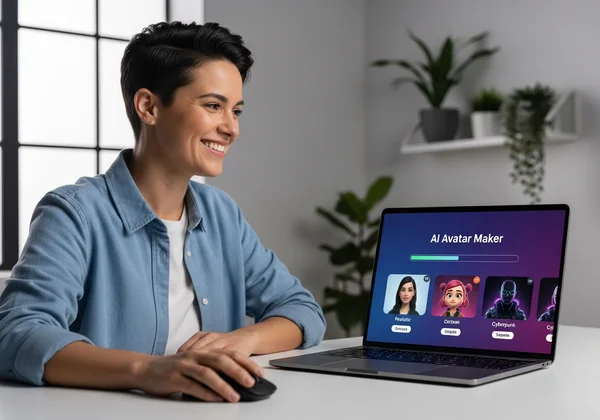
Choosing the Best Photos for AI Avatar Generation
Free AI avatar makers analyze facial features, skin tone, and bone structure. But cluttered or dark photos confuse the AI, leading to poor results. This leads to artifacts, extra limbs, or a face that just doesn't look like you. Choosing the "best selfie for AI" means providing a clean, high-contrast image where your features are unmistakable. Using a custom AI avatar generator requires a solid starting point for the best output.
Think of your photo as a blueprint. A builder cannot create a beautiful house from a messy sketch. Similarly, our AI tool needs a clear blueprint of your face. You don't need a professional camera; a modern smartphone is more than enough. The secret lies in the environment where you take the photo.
Lighting Considerations for Optimal Results
Lighting is the most critical factor in photography and AI generation. For the best results, you should always aim for natural, even lighting. The goal is to illuminate your entire face without creating "hard shadows." Hard shadows occur when light hits one side of your face, leaving the other side in total darkness. AI often interprets these shadows as hair or skin discoloration.
To get the best lighting, try standing in front of a window during the day. The soft, diffused light will fill in your features and make your eyes pop. Avoid "backlighting," which is when the light source is behind you. This turns your face into a dark silhouette, making it impossible for the use our free AI avatar maker to recognize your traits. If you are indoors at night, use a ring light or a lamp with a neutral white bulb positioned directly in front of you at eye level.
Background Selection Strategies
While the AI focuses mainly on your face, the background still matters. A busy background with many objects, people, or patterns can distract the AI. If there is a tree growing "out of your head" in the photo, the AI might try to incorporate those leaves into your avatar's hair. This is why professional-grade results often come from photos with simple backgrounds.
We recommend using a plain, solid-colored wall as your backdrop. Neutral colors like white, light grey, or soft blue work best because they provide a clear contrast with your skin and hair. This contrast helps the AI cleanly "cut out" your silhouette. If you can't find a plain wall, just make sure the background is out of focus. The less detail there is behind you, the more the AI can focus on what matters: you.
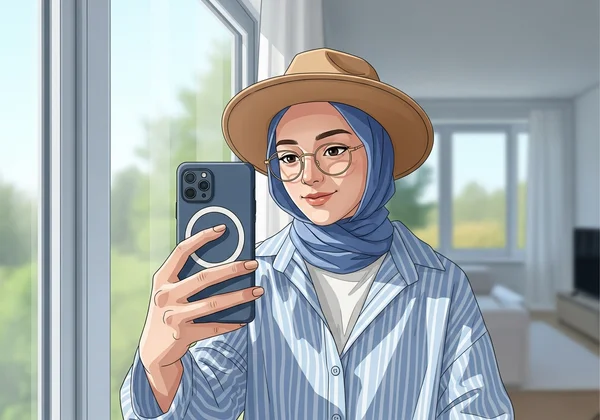
Posing Techniques for Professional AI Avatars
Posing for an AI avatar is slightly different from posing for a traditional portrait. In a regular photo, you might want to look "artistic" or "candid." However, for AI generation, clarity is king. Your pose should be stable and highlight your unique facial structure. Using a posing guide for avatars can help you avoid common mistakes like "duck faces" or extreme angles that distort your appearance.
The best poses are those that feel natural but controlled. You want to look like yourself on your best day. When you make ai avatar images, the AI looks for "key points" on your face, such as the corners of your eyes, the tip of your nose, and the edges of your mouth. If your pose hides these points, the resulting avatar might look "off."
Best Facial Expressions for AI Avatar Maker Tools
What kind of expression should you have? While it is tempting to make a funny face, a slight smile or a neutral expression usually yields the most versatile results. If you smile too widely, your cheeks might bunch up and hide your eye shape. If you frown, the AI might give your avatar a grumpy or aggressive look.
A "soft smile" where your eyes are also engaged—often called "smizing"—is perfect. This creates a friendly and approachable digital identity. Ensure your mouth is closed or only slightly open; showing too much teeth can sometimes lead to the AI generating strange mouth shapes. Remember, the AI will amplify your expression. A small smile in a photo can become a very joyful avatar in a 3D or Ghibli style.
Head Positioning and Angle Optimization
The angle of your head determines how the AI perceives the "depth" of your face. For the most accurate likeness, keep your head at eye level with the camera. Looking too far up or down changes the shape of your jawline and forehead.
A "three-quarter view," where your head is turned slightly to one side, is often the most flattering for human faces. However, for AI tools, a "straight-on" (frontal) view is usually the safest bet. It provides the AI with a full view of both eyes and both ears. If you do choose a slight angle, make sure it isn't so sharp that one side of your face is hidden. Aim for a 5-to-10-degree turn at most to maintain facial symmetry.
AI Avatar Photo Troubleshooting Guide
Even with the best intentions, sometimes the photos we love aren't "AI-ready." Perhaps it’s an old vacation photo or a quick selfie taken in a dim restaurant. Don't worry; you can still fix these issues before you make an ai avatar of myself. Understanding how to troubleshoot these problems will save you time and prevent frustrating results.
Common issues include "noise" (graininess), blurriness, and strange color casts from indoor lighting. Most of these can be fixed with basic photo editing apps on your phone. The goal isn't to make the photo perfect, but to make it "readable" for the machine learning model.
Fixing Blurry or Low-Quality Source Photos
If your photo is blurry, the AI cannot find the edges of your features. This results in an avatar that looks "melted" or lacks detail. To fix this, first, check if your camera lens is clean—smudges are the #1 cause of blur. If you are using an existing photo that is slightly low-quality, try to increase the "Sharpness" and "Structure" settings in your phone's photo editor.
Avoid using photos that have been heavily compressed, such as those sent over low-quality messaging apps. Always try to use the original file from your camera roll. If you only have a small, old photo, try using a fresh selfie first to see the difference in quality. High-resolution photos (HD or Ultra HD) provide the AI with more "data points" to work with, leading to a much sharper avatar.
Working with Challenging Lighting Conditions
What if you have a great pose but the lighting is "yellow" or too dark? You can use a "White Balance" tool in any basic editor to make the skin tones look more natural. If the photo is too dark, increase the "Shadows" and "Brightness" sliders.
If your face has "hot spots" (shiny areas from a flash), try to lower the "Highlights." AI sometimes interprets a very shiny forehead as a white object or a hole in the image. By normalizing the light across your face, you give the AI a consistent canvas to work on. Once your photo looks balanced and clear, you are ready to start your test and see the magic happen.
Your perfect AI avatar awaits—and it all starts with the right photo.
Master these photo tips to unlock stunning results with our tool. Creating a stunning digital identity is a collaborative process between you and the AI. By following these ai avatar photo tips, you provide the high-quality input necessary for high-quality output. Remember the golden rules: use natural light, keep a simple background, and choose a natural facial expression at eye level.
When you take the time to select the right photo, you'll find that the ai avatar maker works much more effectively. You won't just get a generic character; you will get a unique, artistic representation of yourself that you can be proud to use on Discord, LinkedIn, or Instagram.
Ready to transform your selfie? Create your AI avatar now in seconds!
The Takeaway
How do I make an AI avatar of myself with just a selfie?
It is very simple! You just need to upload one high-quality selfie to our platform. Choose a style that fits your personality—like 3D Cute or Ghibli—and the AI will do the rest. For the best results, ensure your selfie follows the lighting and posing tips mentioned in this guide.
What's the best lighting for photos used in AI avatar generation?
The absolute best lighting is natural daylight. Standing near a window during the day provides soft, even light that eliminates harsh shadows. Avoid direct sunlight, as it can cause you to squint and create dark shadows under your eyes. If you are using artificial light, ensure it is placed in front of you, not behind or directly above you.
Can I use old or low-quality photos for AI avatar creation?
You can try, but the results may not be as sharp or accurate. AI works best with high-resolution images where facial features are clearly defined. If you must use an old photo, try to use a photo editing app to increase the brightness and sharpness before uploading it to our AI tool. However, taking a fresh selfie is usually the best way to get a professional result.
How many photos should I upload to get the best AI avatar results?
Our current version is optimized for speed and simplicity, so you only need to upload one high-quality photo. Because our AI is highly advanced, a single clear image is enough to capture your likeness and apply various artistic styles instantly. This makes the process much faster than older tools that required 10 or 20 different photos.
What poses work best for professional AI avatars?
For a professional look, a straight-on or very slight three-quarter view works best. Keep your shoulders square and your head at eye level. A soft, confident smile or a "business-neutral" expression is ideal for platforms like LinkedIn. Avoid tilting your head too far or covering any part of your face with your hands or hair. Proper posing ensures your ai avatar maker free experience results in a polished, credible image.